


Free Shopify product FAQ section
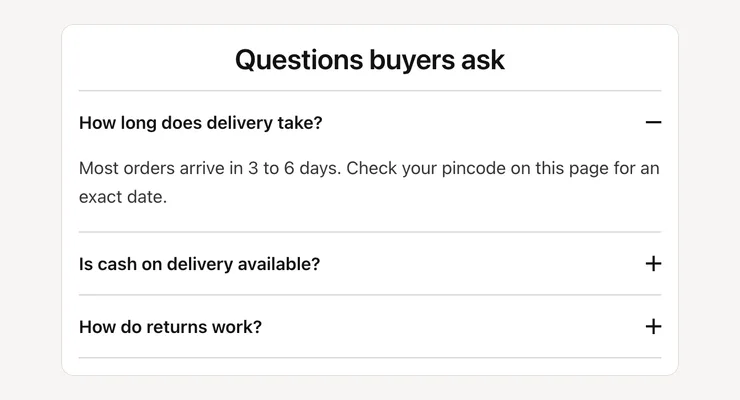
Questions and answers on your product page that open on tap, written as plain text and marked up as FAQ data that Google and AI assistants can read.
- Price
- Free, no monthly fee
- Works on
- Product pages, or any page
- In the theme editor
- Pixel Caption FAQ
- Made by
- The Pixel Caption growth team
The problem it solves
The same questions arrive every day on WhatsApp and Instagram: how long does delivery take, is COD available, how do returns work. Each one is a shopper who stopped to ask instead of buying, and a reply your team types again.
Answers hidden in images or app widgets are hard for search engines and AI assistants to read. Plain-text questions with FAQ data give them something clear to quote when a buyer asks about your product.
What it does
Questions and answers that open one at a time, with FAQ data for Google and AI search.
One block per question
Add a Question block for each question, with a formatted answer. There’s no set limit, and you drag the blocks into the order your buyers ask them.
Opens on tap
Each question opens and closes on its own, and the first one can start open. It’s built on the browser’s own details element, so it works with the keyboard and screen readers.
FAQ data built in
The section adds FAQPage structured data from the same questions and answers shoppers see. Untick it if your theme or an app already adds FAQ data to that page.
Fits any page
Add an optional heading and short intro, set the width from 480 to 1200 px and the space above and below. Use it on product pages or any other page of your store.
Settings in the theme editor
Every setting below is in the section’s code, pixelcaption-product-faq.liquid. Change any of them in Customize, with no code.
| Setting | Type | Default |
|---|---|---|
| Heading | Text | Questions buyers ask |
| Short intro (optional) | Formatted text | Empty |
| Open the first question | Tick box | On |
| Add FAQ structured data | Tick box | On |
| Width | Slider, 480 to 1200 px | 760 px |
| Space above | Slider, 0 to 100 px | 40 px |
| Space below | Slider, 0 to 100 px | 40 px |
| Setting | Type | Default |
|---|---|---|
| Question | Text | How long does delivery take? |
| Answer | Formatted text | Most orders arrive in 3 to 6 days. Check your pincode on this page for an exact date. |
How to install
About five minutes in your Shopify admin, with no coding. These are the same steps as the guide in the .zip.
Download the .zip
Tap Download below. The .zip holds the section file, sections/pixelcaption-product-faq.liquid, and an install guide with a button that copies the code.
Make a backup copy
In Shopify admin go to Online Store, then Themes. Click the three dots next to your live theme and choose Duplicate, so you can publish the copy if anything goes wrong.
Create the section file
Click the three dots again and choose Edit code. Under the Sections folder click “Add a new section”, name it pixelcaption-product-faq and pick Liquid if Shopify asks.
Paste the code
Select everything in the new file and delete it. Paste the code from the section file in the .zip, then click Save.
Add it to your page
Back in Themes, click Customize and open product, or any page. Click “Add section”, pick Pixel Caption FAQ and click Save.
Set it up
Add one Question block per question. Keep each answer to two or three short sentences.
Good to know
- Untick “Add FAQ structured data” if your theme or an app already adds FAQ data on the same page.
Related components
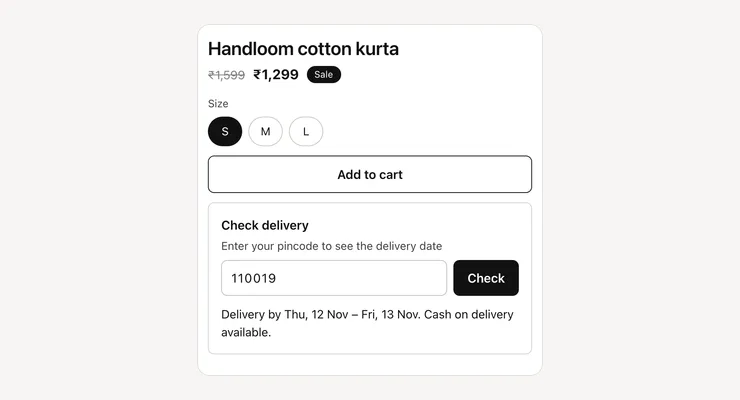
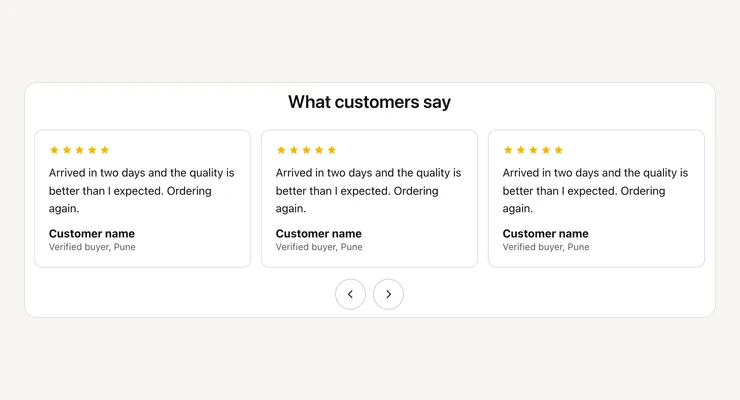
Other free sections that work well next to this one.
Get the product FAQ
One short form and the .zip is yours, with install notes. It comes by email too.
Product FAQ
- The section file and install notes
- Works in your theme editor, no app
- No monthly fee