


Free Shopify prepaid nudge section
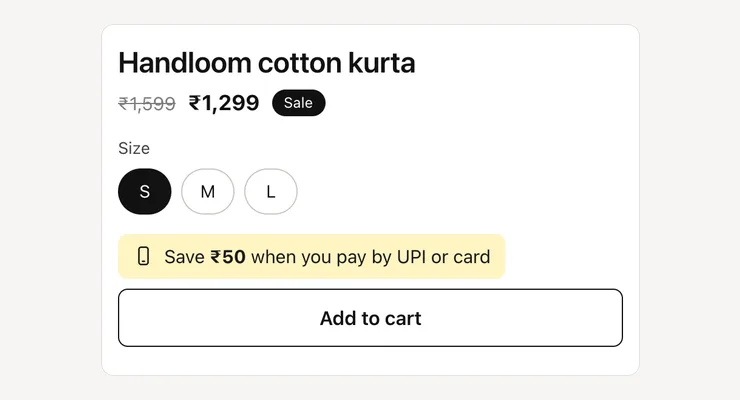
A short line near Add to cart that tells shoppers how much they save by paying by UPI or card, so more orders come prepaid and fewer as COD.
- Price
- Free, no monthly fee
- Works on
- Product pages
- In the theme editor
- Pixel Caption UPI nudge
- Made by
- The Pixel Caption growth team
The problem it solves
COD orders are the ones that come back. A shopper who hasn’t paid can refuse the parcel at the door, and you pay for shipping both ways. Every RTO eats the margin on that order and holds up the stock for days.
Many brands already give a small prepaid discount, but shoppers only find out at checkout, if at all. The saving has to show on the product page, next to the button, where the decision to buy is made.
What it does
A quiet line near the price that shows the saving for paying by UPI, so fewer orders go COD.
Shows the saving in rupees
Pick a fixed amount, like ₹50, or a percentage of the price. Write your message and {amount} is swapped for the saving, shown in bold in your store’s currency.
Follows the chosen variant
With a percentage, the saving is worked out again when the shopper picks another size or colour. An optional cap stops it going above a set amount on costly variants.
Sits next to Add to cart
It moves itself above your theme’s Add to cart form by default, or under it. Choose “Where this section sits” to place it yourself in the theme editor.
The message, with your discount
The section shows the line and leaves the discount to you. Set up the matching prepaid discount in Shopify Discounts or your payment app, so checkout keeps the promise.
Settings in the theme editor
Every setting below is in the section’s code, pixelcaption-prepaid-nudge.liquid. Change any of them in Customize, with no code.
| Setting | Type | Default |
|---|---|---|
| Where to show it | Choice | Above Add to cart (recommended) |
| Message | Text | Save {amount} when you pay by UPI or card |
| Your prepaid discount | Choice | A fixed amount |
| Amount or percentage | Number | 50 |
| Most it can save (percentage only) | Number | 0 (no limit) |
| Show phone icon | Tick box | On |
| Background | Colour | #fff4c2 |
| Text | Colour | #1a1a17 |
| Space above | Slider, 0 to 40 px | 4 px |
| Space below | Slider, 0 to 40 px | 4 px |
How to install
About five minutes in your Shopify admin, with no coding. These are the same steps as the guide in the .zip.
Download the .zip
Tap Download below. The .zip holds the section file, sections/pixelcaption-prepaid-nudge.liquid, and an install guide with a button that copies the code.
Make a backup copy
In Shopify admin go to Online Store, then Themes. Click the three dots next to your live theme and choose Duplicate, so you can publish the copy if anything goes wrong.
Create the section file
Click the three dots again and choose Edit code. Under the Sections folder click “Add a new section”, name it pixelcaption-prepaid-nudge and pick Liquid if Shopify asks.
Paste the code
Select everything in the new file and delete it. Paste the code from the section file in the .zip, then click Save.
Add it to your page
Back in Themes, click Customize and open product. Click “Add section”, pick Pixel Caption UPI nudge and click Save.
Set it up
Choose a fixed amount (like ₹50) or a percentage with a cap. Write the message. {amount} is swapped for the saving, and it updates when the shopper picks another size or colour.
Good to know
- Create the matching discount in Shopify (Discounts) or in your payment app, so the promise is real at checkout.
Related components
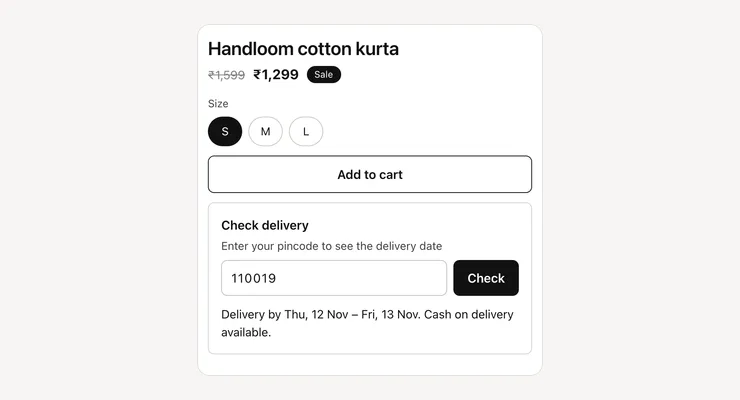
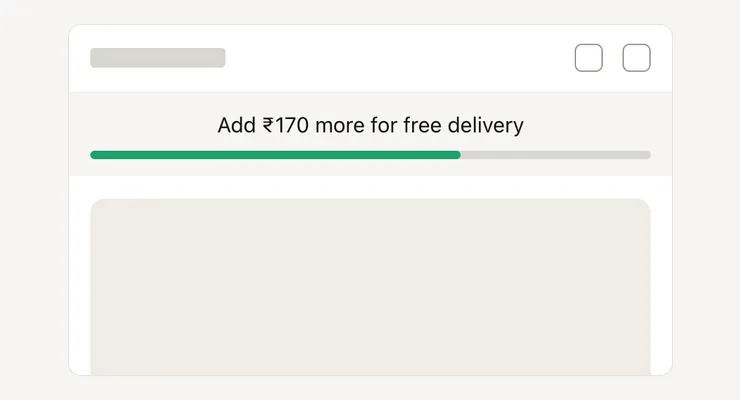
Other free sections that work well next to this one.
Get the prepaid nudge
One short form and the .zip is yours, with install notes. It comes by email too.
Prepaid nudge
- The section file and install notes
- Works in your theme editor, no app
- No monthly fee